Home › Blogs › 99 Exchange Login Error
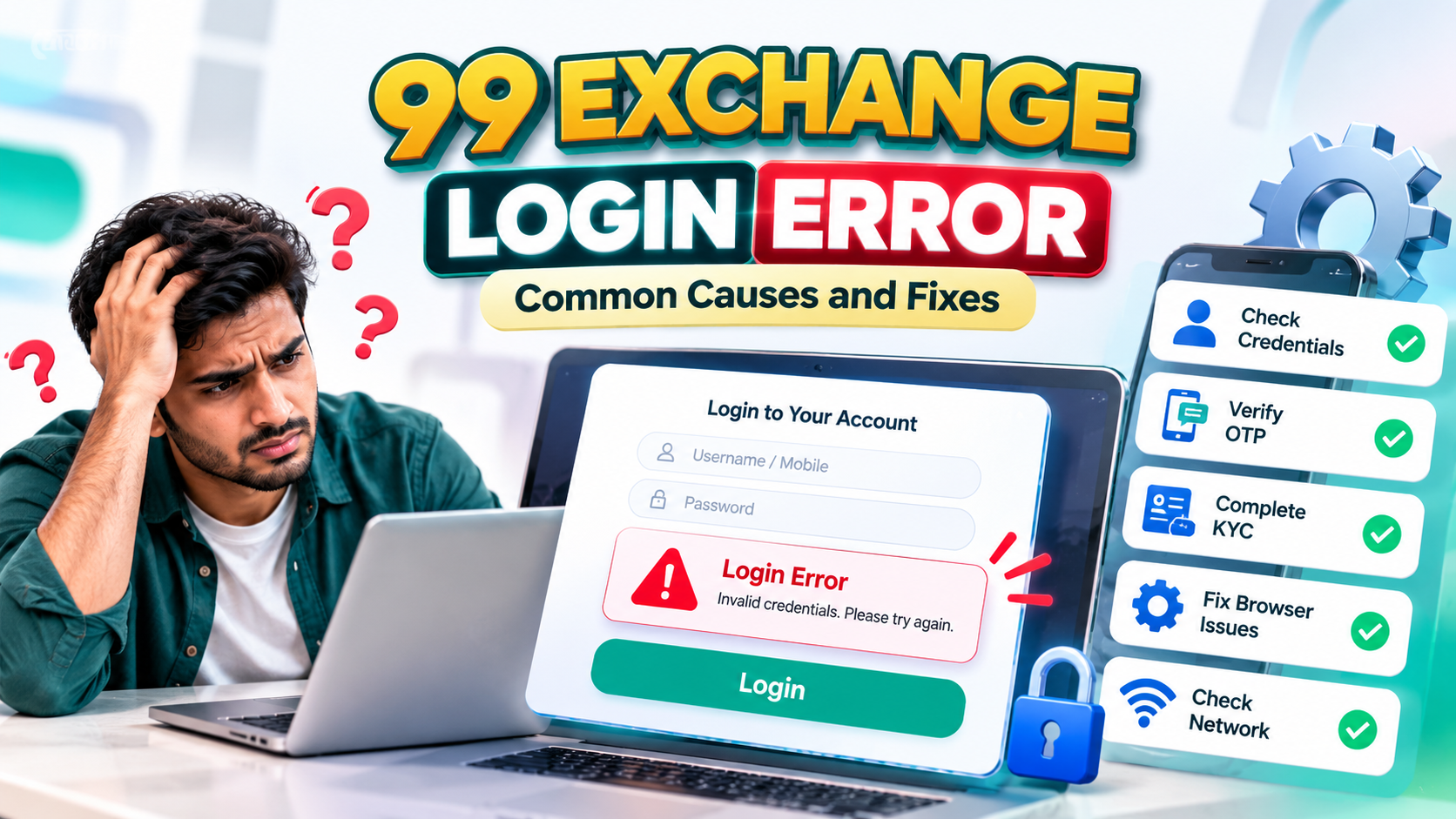
99 Exchange Login Error: Common Causes and Checks
Most login problems are small and fixable. This guide explains what the error message actually means, how to read it, an ordered set of checks, and which causes sit on your side of the screen and which sit with the platform.
By 99 Exchange Support DeskLast reviewed 9 min read
Quick answer
Most login errors come down to one of five things: credentials that do not match the account, an expired one-time code, a session that ended, an account that is locked or still under verification, or a browser-side fault such as blocked cookies or a captcha that will not load. Work through the checklist in order before contacting support, because repeated attempts are what turn a small problem into a locked account.
Start from the official login page. If a message claims to help you fix a login problem and asks for your password or a one-time code, end the conversation.
If you arrived here by searching for my 99 exchange login, my 99 exchange or 99 exch error, the likely cause is further down this page. Begin with the domain check, because arriving on the wrong page is a common reason a login error has nothing to do with your account.
On this page
- Check the domain before you type a password
- What a 99 exchange login error actually means
- How to read common login error messages
- The most common causes of a 99 exch error
- Login error fix: an ordered checklist
- What you can check and what only support can check
- Protecting your account while you troubleshoot
- If the account is blocked, closed, or under review
- What to include when you contact support
- A note on responsible participation
- Frequently asked questions
- Final thoughts
- Related 99 Exchange guides
Check the domain before you type a password
Search terms like my 99 exchange and 99 exchange login are typed by people looking for their own account, and search engines answer them with paid adverts, look-alike domains and forum threads alongside the actual site. A sponsored position at the top of a results page is an advertisement, not a ranking signal.
My 99 exchange is a phrase people use to find their login. It is not the name of a separate app, portal, or partner service, so treat any result promising a dedicated “My 99 Exchange” application or wallet with caution unless the site’s own pages describe it.
Before entering credentials, confirm the address bar reads the official domain, 99betexchange.com, and that the login form sits on that domain. If the page looks unfamiliar, close the tab and type the domain yourself. The login page is linked directly here: 99 Exchange login page.
Two habits remove most of this risk. Type the domain rather than following a login link from an unsolicited message, and never install an app from a link that arrived by SMS, WhatsApp, or a search advert. Once you are on the right domain, everything below applies as written.
What a 99 exchange login error actually means
A login screen usually runs three separate checks before it lets you into an account, and the message you see tells you which one failed. Understanding this ordering is what separates a two-minute fix from an hour of guessing.
- Credential check. Does the identifier and password pair match an active account?
- Security check. Was a second step, such as a one-time password (OTP) or an image captcha, completed correctly and inside its time window?
- Account status check. Is the account verified, not locked, and permitted to sign in from your current location?
The distinction matters because the remedies differ. A failed credential check is corrected at the keyboard. A failed account status check usually cannot be cleared by you, however many times you retry.
| Check | What the system is comparing | Typical outcome when it fails |
|---|---|---|
| Credential | Identifier and password against the account record | An “invalid username or password” style message |
| Security | OTP or captcha response against the current session | Code expired, code invalid, captcha not displaying |
| Account status | Verification, lock and location flags against account settings | Account restricted, blocked, or pending review |
Because one screen can report three different conditions in similar language, read the message in full before you reset anything. Resetting a password will not clear a verification hold, and waiting will not fix a mistyped password.
How to read common login error messages
Login wording changes as a site is updated, so the table below describes the type of message a login page usually shows rather than quoting a fixed screen. Match the closest row to what you are seeing.
| Message pattern | What it usually means | First thing to check |
|---|---|---|
| Invalid username or password | The identifier and password do not match | Whether you entered your login ID where the password was expected, and whether caps lock is on |
| Please enter a valid password | The password field rejected the input | Hidden characters, a password changed in another session, or autofill inserting an outdated entry |
| OTP invalid or expired | The code was outside its window or already used | Request one new code and enter only the most recent one |
| OTP not received | The message never arrived | Network filtering, message delay, or a number that does not match the account |
| Captcha not displaying | The verification script did not load | Cookies, extensions, ad blockers and cached page data |
| Session expired, please sign in again | The login session timed out or ended elsewhere | Sign in again from the official login page |
| Account restricted or pending verification | Verification or a review is incomplete | Account status, which cannot be cleared from the login screen |
| Too many failed attempts | A temporary lock after repeated wrong entries | Wait for the stated period, then try once and carefully |
| Page loads but the account area stays blank | Front-end data did not load | Cache and cookie reset, an updated browser, or a different browser |
The most common causes of a 99 exch error
1. Credentials that do not match the account
This is the most frequent cause, and it is usually trivial. Watch for extra spaces before or after the password, capitalisation altered by an autocorrect feature, and a password typed while caps lock is on. Also check that you are not mixing identifier types: many exchanges issue a 99 Exchange ID and a separate password, so entering the ID in both fields fails exactly like a wrong password. Finally, confirm that a saved password in your browser is not being filled in automatically after you changed it somewhere else.
2. An expired or undelivered password reset
Reset links and reset codes have a short validity window. If you requested a reset and then opened an older message, that link may already be dead. Request a fresh reset and use only the newest one. Completing a reset does not normally sign you in automatically, so you still enter your credentials afterwards.
3. One-time password problems
An OTP is valid for a short period and usually for a single use. Entering a code twice, entering an earlier code after a newer one arrives, or letting the countdown run out all produce an error. Request one new code, wait for it, and enter it once.
4. Session expired or signed out elsewhere
Sessions end for ordinary reasons: inactivity, signing out on another device, a password change, or a server-side session refresh. If the page keeps returning you to the login screen after a correct password, check whether you are signed in on another device or browser and close those sessions where the account allows it.
5. Verification or KYC not completed
An account that has not finished verification can be blocked from signing in. That is a status condition rather than a typing fault, so retrying does not help. The account holder needs to supply whatever the operator’s current process requires. If you are still waiting, ask support which specific item is outstanding rather than resending the same files repeatedly.
6. Temporary lock after repeated failed attempts
Most login systems slow their response after several wrong entries, either by rate-limiting requests or by locking the account briefly. Further attempts while locked extend the situation. If a lock message appears, stop, note the time it started, and wait.
7. Browser-side problems
Cookies, cached files and blocking extensions can break a login page that works perfectly in another browser. Symptoms include a blank account panel after a correct password, a captcha that never appears, or a spinner that runs indefinitely. A private window, a fresh browser profile, or a different browser usually isolates the cause within a minute.
8. Wrong page, mirror site, or outdated app
Look-alike domains and outdated app builds cause errors that look like account problems but are not. This includes sponsored results for my 99 exchange that lead somewhere other than the official site. Check the address bar before entering any credential. If you arrived through a link in an unsolicited message, close it and navigate to the domain directly.
9. Device clock, network filters, and location checks
Some verification steps depend on accurate time and on network permissions. A device clock that is significantly wrong can make a valid code appear expired. Corporate networks, some mobile data filters and privacy tools can block OTP delivery. Location rules also differ, and a service may refuse sign-in from a region where it does not operate.
10. A problem on the platform side
Maintenance, a configuration change, or an incident can reject valid credentials. You cannot confirm this from the login screen. If every check above passes on a device and network that worked before, the cause is likely server-side, and support can confirm it.
One point worth stating plainly. A login ID is an account credential. It is not a bank account, a payment method, a physical card, or evidence that an operator holds a particular licence. An error message on a login screen tells you nothing about regulation, and neither does a logo.
Login error fix: an ordered checklist
Work through these in order. Each step costs seconds and rules out a group of causes.
- Confirm the page and domain. Check the address bar before typing anything.
- Type the password manually instead of accepting an autofilled entry.
- Check caps lock and hidden spaces at the start and end of both fields.
- Rule out the browser. Open the login page in a private window or a different browser.
- Clear site data and cached files for the domain, then reload the page.
- Check the device date and time, and correct them if they have drifted.
- Request a new OTP or password reset, and use only the newest code.
- Close other active sessions, then try once more.
- Wait out any temporary lock before attempting again.
- Record the details and contact the published support channel: exact error text, time, device, browser, and the steps already tried.
Stopping after two or three failed attempts matters more than trying quickly. Rapid retries are one of the most common reasons a small problem turns into a locked account.
What you can check and what only support can check
Knowing which side owns the cause saves time and prevents pointless repetition.
You can check these yourself
- The domain you are actually on
- The identifier and password you entered
- Spaces, capitalisation and caps lock
- Browser, cache, cookies and extensions
- Device date and time
- Other active sessions
- Any temporary lock message
Only the platform can confirm these
- Whether the account exists and is active
- Verification status
- Restriction or block records
- Whether a reset link was generated
- Session and sign-in logs
- Server-side incidents
- Any requirement you have not met
If your checks are complete and the error is unchanged, further guessing will not help. Support can read records that you cannot see. For the wider picture, the site’s login problem guide covers the same ground at greater length.
Protecting your account while you troubleshoot
A support agent should never ask for your password, a full OTP, a PIN, or remote access to your device. If a message claiming to be from support asks for any of these, stop and end the conversation.
- Type the domain yourself rather than following a login link from an unexpected message.
- Never send money to a bank account, UPI ID, or wallet address received through an unsolicited message.
- Change the password on the official site if you entered it anywhere you now doubt, and review your recent transactions and sessions.
- Use a unique password that is not reused on another service, so a breach elsewhere is irrelevant to this account.
- Contact the verified support channel immediately if anything unfamiliar appears in your history.
These are ordinary precautions. They are also the reason a login error should never be resolved by handing over credentials to someone offering to help. How registration data is handled is set out in the privacy policy, and the rules that govern account use are in the terms and conditions.
If the account is blocked, closed, or under review
Some login errors are status messages rather than faults. A blocked or suspended account will keep refusing valid credentials, and a closed account cannot be reopened from the login page. Each case follows its own process, so read the dedicated page instead of retrying the form.
- Blocked or suspended account — what the freeze means and how to query it.
- How to get a 99Exch ID — for accounts that do not yet have working credentials.
- Login problem overview — a longer troubleshooting reference.
If you have not registered yet, note that account creation is handled through the WhatsApp registration process published by the site rather than an on-page sign-up form. The contact page lists the current channel.
What to include when you contact support
A short, specific message usually gets a faster answer than a description of the problem. Include the following:
- The exact error text, as it appears on screen
- The date and time with your time zone
- The device, browser, and app version you used
- How you reached the page, for example a search for my 99 exchange, because an unexpected domain is often the cause
- Which steps from the checklist you already tried
- A screenshot showing the message, without unrelated personal details
- The account identifier the site uses for identification
Never send the password and never send a one-time code. Then say whether the issue affects only login, or also deposits, withdrawals, and order placement. Describing the affected area helps support identify the right system.
Before you send: re-read the checklist once. A message that says “invalid credentials, already tried a private window and cleared site data, error started at 14:20” is far easier to act on than “cannot log in.”
A note on responsible participation
Login problems are technical, but they can push people towards impulsive behaviour: larger deposits, longer sessions, and attempts to recover lost time or money through bigger stakes. None of that changes the underlying odds.
Set a deposit limit and a session time limit before you start. Do not borrow to bet, do not chase losses, and take breaks. If betting stops feeling recreational, use a cooling-off period or self-exclusion where available, and seek professional support when it becomes difficult to control. The site’s responsible gaming page sets out further detail.
Frequently asked questions
Why does 99 Exchange show a login error even after I reset my password?
Usually because the session or page still holds the old state. Sign out of other sessions, clear site data, open the login page in a private window, and sign in once with the new password. If the reset was never completed, the new password will not be active.
Why do I never receive the OTP?
Common reasons include SMS or call filtering on your network, a number that does not match the account, a full message inbox, or requesting a new code before the previous one arrives. Ask for one code, wait for it, and enter only that code. If nothing arrives, ask support to confirm which number is on file.
I signed in on another device. Will that stop me here?
Session rules differ between platforms, so it depends on the settings in force. If you see an error after signing in elsewhere, close those sessions where the account allows it and try again.
The login page opens, but the account area stays blank after I enter my password. What should I do?
That usually points to the page rather than your account. Cached files, blocked scripts, and extensions are the common causes. Try a private window, then a different browser, and disable ad blockers temporarily.
Does a login error mean my account was accessed by someone else?
Not necessarily. Credential, session, and status errors account for most failures. Check your sessions and transaction history anyway, and change the password if you see activity you do not recognise.
How long does a verification or blocked-account review take?
The site does not publish a fixed timeframe for these reviews, so any specific duration should be confirmed with the support team rather than assumed. Ask what the outstanding item is and what is required to clear it.
I searched for “my 99 exchange” and the first result was a different site. Is that normal?
Yes. Results for phrases like my 99 exchange include paid adverts, look-alike domains, and forum threads alongside the official pages, and a sponsored result is an advertisement rather than a ranking signal. The official domain is 99betexchange.com. Check the address bar before entering your identifier and password, and if the page does not look right, close it and type the domain yourself.
Final thoughts
The 99 exchange login problem you are facing is almost always one of a short list: a credential mismatch, an expired code, an expired session, a verification or lock status, or a browser-side fault. Confirm you are on the official domain first, since a search for my 99 exchange can land on a look-alike page. Working through the checklist in order resolves the large majority of cases.
If it does not, the useful next step is not another attempt. Send support the error text, the time, the device, and what you already tried, and let them check the records on their side.
Related 99 Exchange guides
If part of this guide did not fit your situation, these are the pages that continue from where it stops.
- 99 Exchange login pageWhere a sign-in attempt begins
- Fix a 99 Exch login problemLonger troubleshooting reference with causes and remedies
- 99 Exchange account blockedWhy accounts are restricted and how to query it
- How to get your 99 Exchange IDThe registration and credentials process
- 99 Exchange: basic information and common questionsBackground on how the exchange model works
- What is 99 Exch? A guide for new usersStart here if this is your first month
- Contact 99 ExchangeThe published support channels
- Responsible gaming policyDeposit limits, session reminders and the 18+ rule
- Privacy policyHow registration data is handled
- Terms and conditionsThe rules that govern account use
- All 99 Exchange guidesThe complete help library
- Open the 99 Exchange login page
- Contact support on WhatsApp
About this guide
99
Maintained by the 99 Exchange Support Desk
This page is maintained by the team that handles account access queries. The content is deliberately conservative: it describes the checks a reader can perform, states plainly which conditions only the platform can confirm, and does not claim that any particular fix will resolve a specific error.
How it is kept accurate: the login flow, form fields and support channels are re-checked against the live site before publication and re-verified periodically, or sooner if a platform update lands. The date at the top of this page is the last time that check happened. If something here is out of date, tell us through the contact page.
Nothing on this page is betting, financial, legal or tax advice, and no part of it promises a return from trading. Platform background sits alongside the About page, the terms and conditions and the privacy policy.
Sources referenced
- The live 99 Exchange login page and site navigation, checked 30 September 2026.
- The login problem guide, blocked account page and ID page on this site.
- The 99 Exchange responsible gaming policy.
- Standard behaviour of credential, session and captcha checks in web login systems.
Disclaimer: this article is for general educational purposes and is not betting or financial advice. Online betting involves financial risk, and no login fix, odds format, or trading method changes that. Participation is limited to users aged 18 or over and is permitted only where applicable law allows it. Never bet with essential funds, borrow money to bet, or chase losses.